Talking trigger
Hold and say: "VD-08 3 cases to A-12". The audio is transcribed and iyibir does not store it. The line card is read back to you.
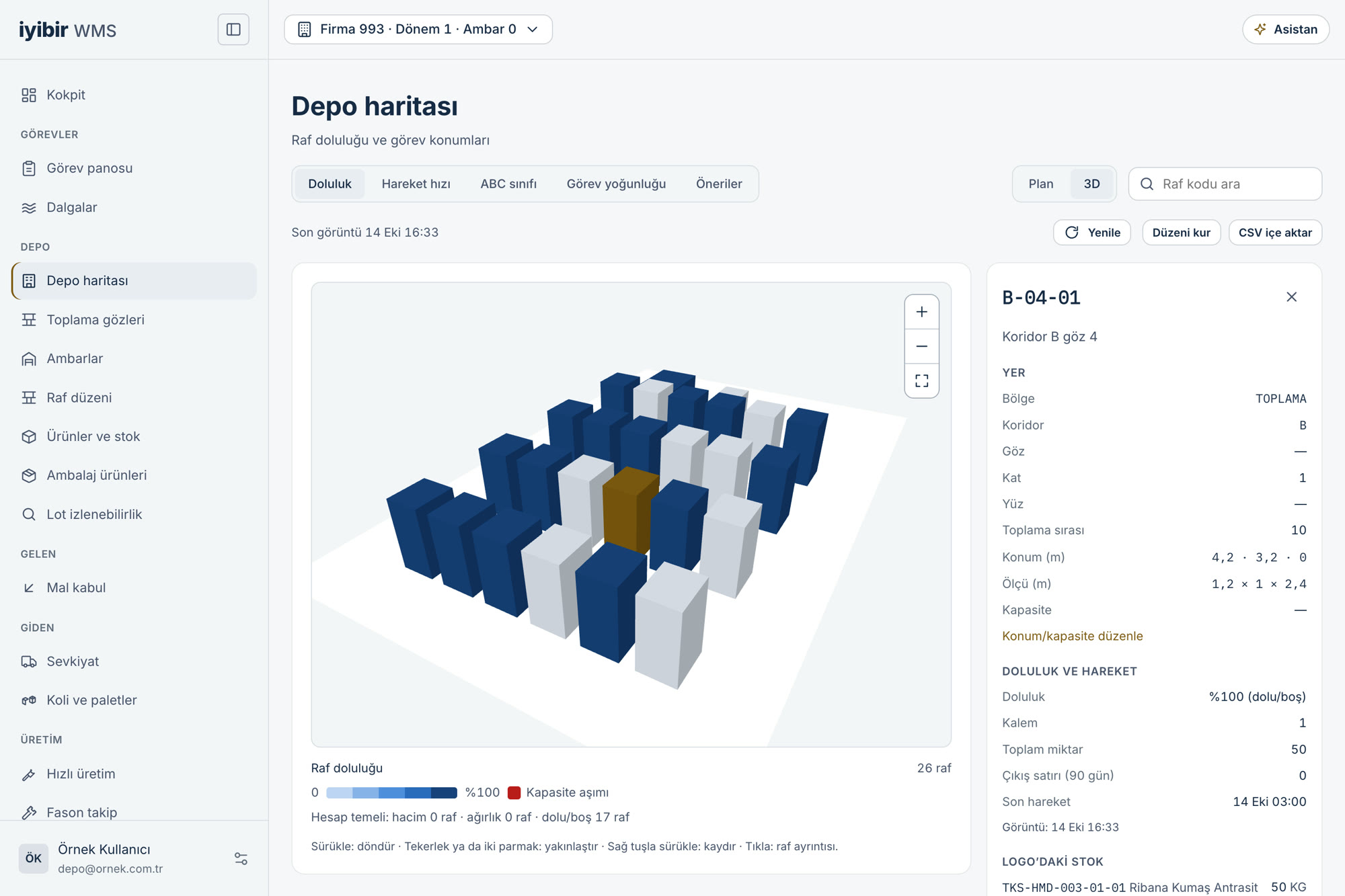
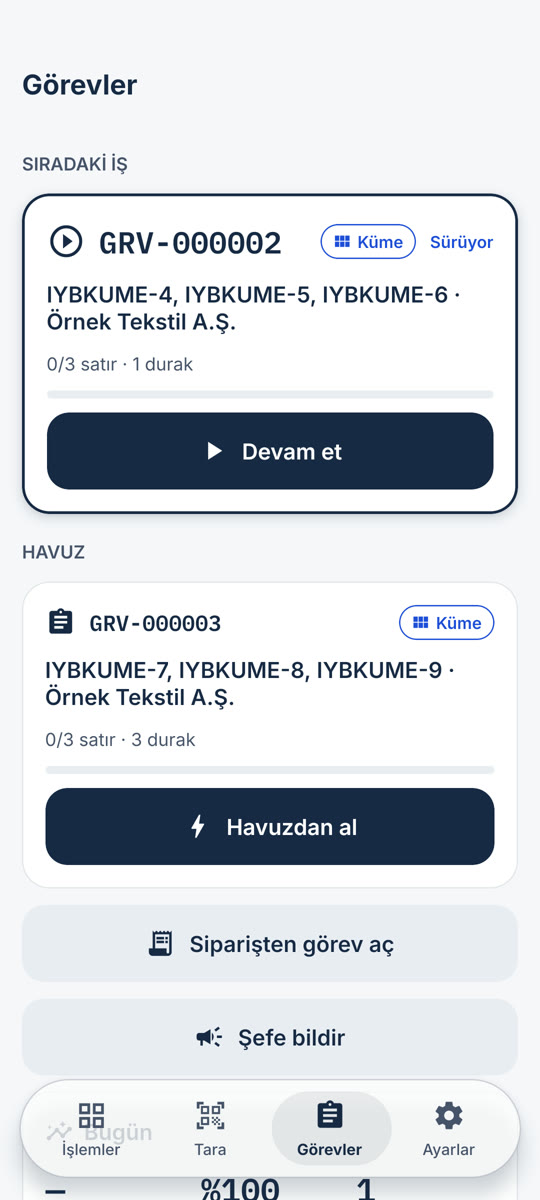
iyibir WMS moves warehouse work onto the mobile terminal. The operator scans the barcode, reviews the summary and confirms; the transaction is written to Logo Edge and read back with its voucher number. From goods receipt to dispatch, from counting to subcontracting: the record is created with the work itself, not after it.
Free access, pay as you go. Your Logo Edge stays as it is; WMS keeps no second stock ledger.
Most companies shopping for warehouse software are not after a feature list; they have a concrete pain. Which one is yours?
Receipt runs on barcode scans; order line and quantity are compared at the door, so the variance shows there.
How it is solvedKitting is a warehouse transaction; the sellable set count is derived from component stock.
How it is solvedStatus travels on the item's record, so it is visible at dispatch.
How it is solvedAll seven operation areas run in one system and stay in sync with Logo Edge.
How it is solvedWMS keeps no second stock ledger; it treats Logo Edge as the source and writes results back.
How it is solvedThe record is created the moment the barcode is scanned; nothing is left to enter.
How it is solvedWarehouse, location, and product counts all run from the mobile terminal.
How it is solvedLot and serial numbers travel inside the transactions; the trail and the recall list open on one page.
How it is solvedWork becomes tasks and stops arrive in route order; busy days are planned with wave and cluster picking.
How it is solvedThe morning briefing and the exception center show what is broken and put the fix next to it.
How it is solvedIn AI Mode, scan the item and say "3 cases to A-12"; the line is read back and written on your approval.
How it is solvedUnsent e-despatches show as a strip on the dispatch page and as an exception in the manager panel.
How it is solvedAI Mode is an AI shell inside the mobile app that runs warehouse work. You scan or say the item; the line is prepared, read back to you and written to Logo only on your approval.
Hold and say: "VD-08 3 cases to A-12". The audio is transcribed and iyibir does not store it. The line card is read back to you.
The scanned item lands in the conversation and "3 cases to A-12" completes the line. This is resolved without a model call.
Questions like "Where is this item?" or "How much is in stock?" come back as cards, with the button for the next job underneath.
The basket goes through the same preview as the manual screens; the conversation closes with the Logo document number.
VD-08 3 cases to A-12
VD-08 · 3 cases · shelf A-12 “3 cases, shelf A-12. Shall I add it to the basket?”
AI never writes to Logo on its own: every record goes through a preview and a person's approval. It does not make up quantities or shelves; when unsure, it asks.
iyibir WMS: Free access, pay as you go. Only a worked user-day costs 300 credits: $0.75 (≈ ₺37.24) + VAT. A person is charged for at most 22 days a month. 5,000 credits free at sign-up.
What people ask most when evaluating iyibir WMS.
iyibir WMS treats Logo Edge as the source and keeps no second stock ledger. The operator scans the barcode and confirms the summary before sending; the transaction is written to Logo and read back with its voucher number. Your Logo Edge stays as it is; your screens and habits do not change. The connection runs through the iyibir PaaS Agent: the iyibir team installs it on your server, it is managed from the iyibir Cloud panel, and it reaches your Logo database without opening it to the internet — the connection is opened outward by the agent. Your Logo Edge installation stays on your server, and its data is not copied into iyibir Cloud.
“Get started” opens your iyibir Cloud account, and 5,000 credits are free at sign-up. If you already have an account, “Sign in” takes you to the panel.
It takes three steps. First, the iyibir team installs the iyibir PaaS Agent on your server. Then you download the app from Google Play and start using it. Support is optional; if you want it, it is charged from credits. There is no separate installation project.
The mobile app runs on handheld terminals and mobile devices, working by barcode scan. We check together that your devices are suitable before you start.
AI Mode lives inside the mobile app and works with the signed-in person's permissions. You scan or say the item; AI prepares the line and reads it back to you. Writing to Logo goes through the same preview as the manual screens and your approval; AI never writes on its own. No audio is kept. AI jobs are not part of the worked user-day; they deduct credit equal to their real cost separately.
User permissions are defined by role, and every transaction is recorded together with who performed it. The data sent to the language model is described in the next question.
The voice recording of a command you speak in AI Mode and its transcript, the warehouse records needed for the answer, and the document photograph read by Scan document pass through iyibir's model gateway in Turkey and are sent to the language model provider (OpenAI, USA). iyibir does not store the voice recording or the photograph. Requests are sent with retention switched off; the provider does not use this data for model training and may retain it for up to 30 days only for abuse monitoring; the data still leaves the country for processing. This transfer is governed by articles 7 and 8 of the data processing agreement.
The basket is stored on the device; lines scanned so far survive a dropped connection or the app closing. Nothing is sent to Logo without a network: the app says so, keeps the draft, and you send the same draft once the connection is back. A send whose outcome is uncertain is not repeated; its counterpart in Logo is checked first.
For a non-standard need such as custom fields or an extra integration, you can get support. Support is optional and is charged from credits; contact us and we will listen to your need.
Open your iyibir Cloud account, start with 5,000 free credits and scan your first warehouse transaction on the mobile terminal.